Release Date: October 26, 2026
Overview
The Catalis Meeting Management System now includes Catalis Assistant, an AI-powered tool designed to help administrators save time and streamline meeting workflows. Catalis Assistant can automatically generate timestamps for recorded meeting videos on YouTube and assist with drafting meeting minutes using the recording transcript of uploaded videos, making post-meeting documentation faster and more efficient.
Free Trial
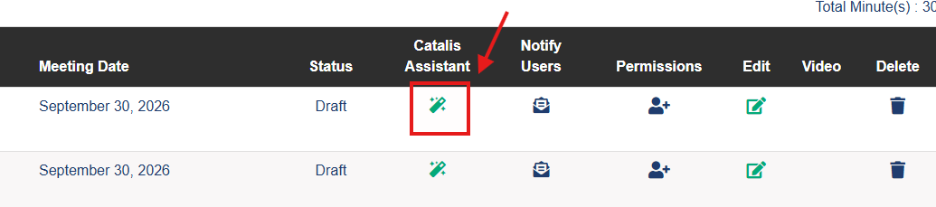
Organizations can try Catalis Assistant – AI Meeting Minutes free for two weeks. To activate the trial, site super admins can select the new Catalis Assistant button on the Minutes list page and follow the on-screen prompts.
Highlights
New Catalis Assistant Workflow
A new Assistant button is now available on the Minutes page for administrators with Catalis Assistant enabled. This provides quick access to the Catalis Assistant workflow stepper, making it faster and easier to generate meeting documentation and manage recorded content.
Uploading Videos for Transcription
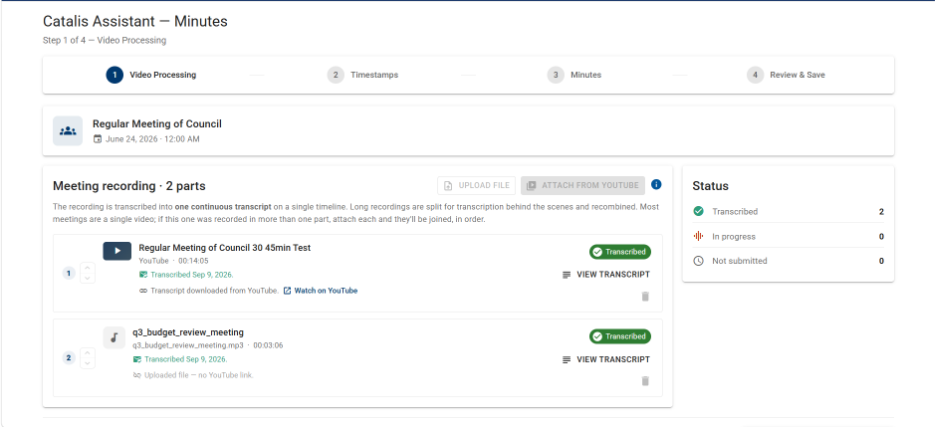
To begin the Catalis Assistant workflow, administrators can upload multiple meeting recordings, including YouTube videos, audio recordings, and video files, for transcription and processing.
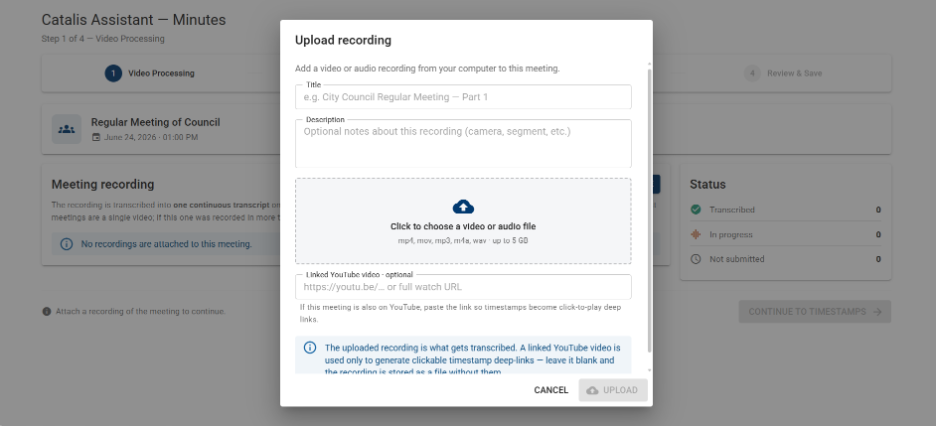
For meetings with YouTube videos already linked in Video Manager, recordings are automatically detected and made available within the workflow. Any new YouTube videos added during this process are automatically synced back to Video Manager upon completion, creating a seamless experience with minimal manual effort. Administrators are notified by email when recording processing is complete.
Automatic Timestamping
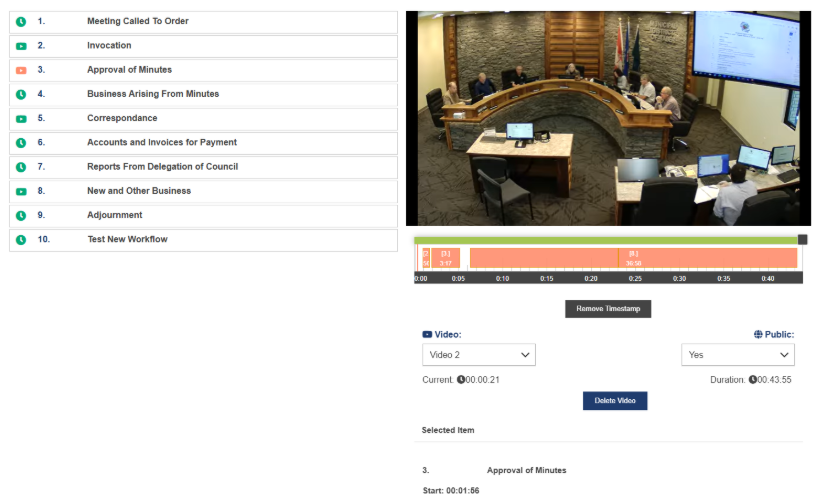
Using the transcript generated from uploaded meeting recordings, Catalis Assistant automatically creates timestamps that are mapped directly to each agenda item. Administrators can review and refine these timestamps as needed by entering their own values manually,
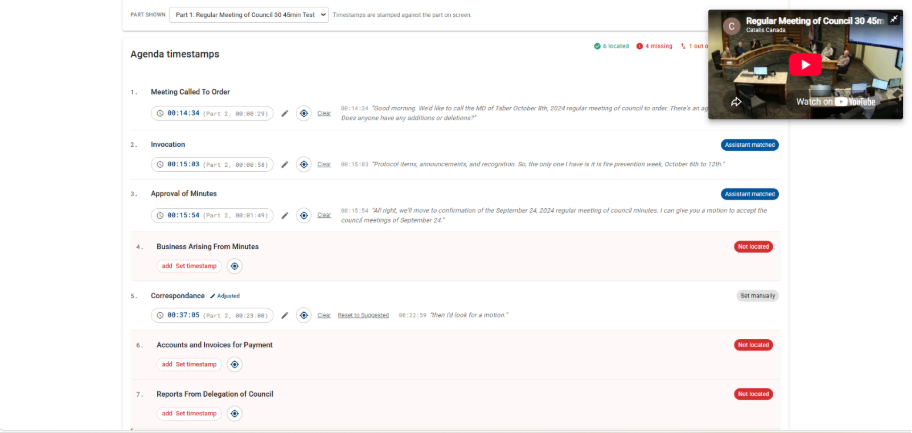
or by using the Target Timestamp feature, which automatically captures the current playback position from the video player for quick and accurate adjustments.

AI Minutes Drafting
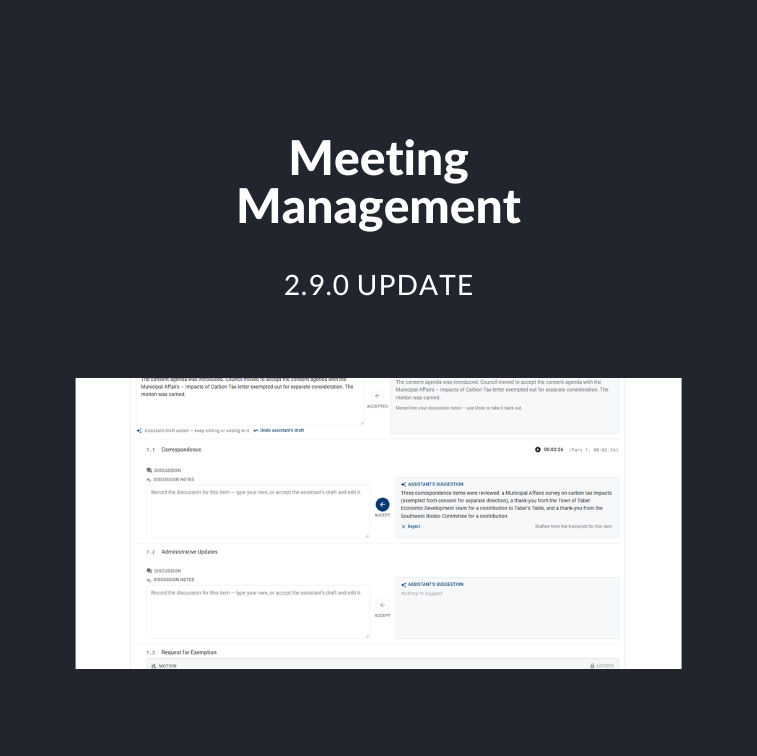
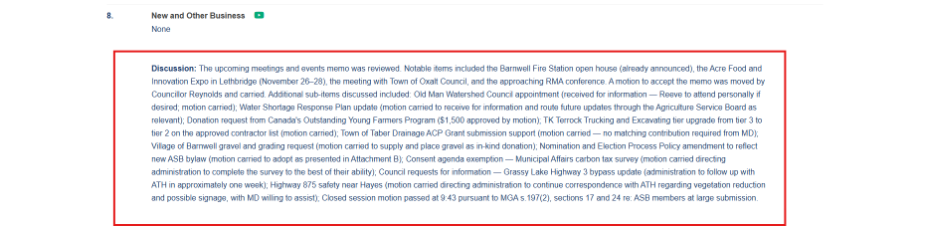
Using the transcript generated from uploaded meeting recordings, Catalis Assistant automatically creates Discussion suggestions for each agenda item. Discussions are concise summaries of the key topics, conversations, and outcomes discussed during that portion of the meeting, helping administrators quickly build comprehensive meeting minutes.
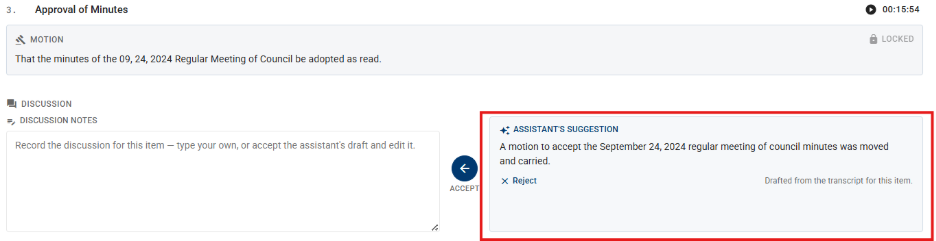
To support the review process, each agenda item also displays its associated Motion Notes, Pre-Notes, Post-Notes, and Voting Record, providing administrators with important context when reviewing and refining meeting content.
Administrators can review each AI-generated Discussion suggestion and choose to accept it, reject it, accept and modify it, or create their own discussion summary as needed. This flexible workflow helps reduce manual effort while ensuring meeting minutes accurately reflect the discussion and decisions made.
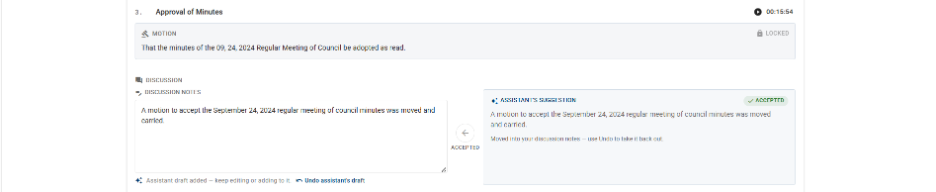
Once finalized, accepted Discussion summaries are automatically displayed on the corresponding Minutes page and are included in all existing Minutes print formats, ensuring a consistent experience across both online and printed records.
Review and Save
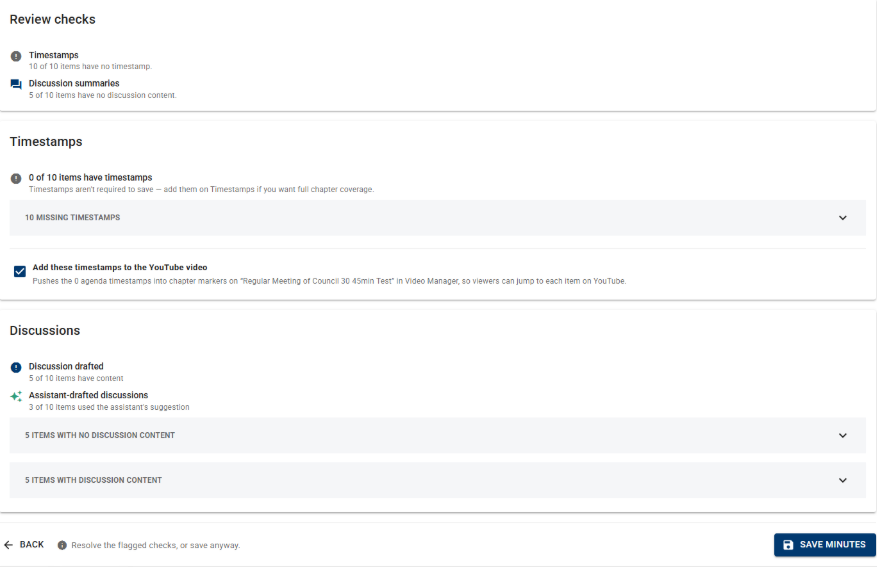
At the conclusion of the Catalis Assistant workflow, administrators can review a summary of the changes and generated content. This includes visibility into any agenda items with missing timestamps, which agenda items contain Discussion content, and which content was generated or assisted by Catalis Assistant.
For meetings associated with YouTube videos, administrators can optionally publish the timestamps created and refined during the workflow.
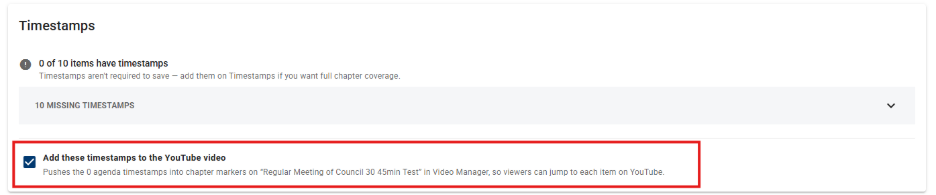
Once published, these timestamps are automatically synchronized back to the Meeting Management Video Manager, helping improve navigation of recorded meetings. Any YouTube videos uploaded during the workflow are also automatically added to Video Manager, ensuring all meeting recordings are captured.