Overview
This release focuses on Task Templates and on Task searching. Templates can now be categorized, duplicated, and found by typing rather than scrolling, Task search has been extended to match on address, and non-spatial assets can now linked to Equipment and Warehouse records. Several export and filtering defects have also been corrected.
Release Details
- Product Name: Work Order / Inventory Management
- Category: Standard Release
- Release Version: v1.43.0
- Release Date: To be confirmed
- Summary: Task Template management improvements, broader Task search, linked Equipment and Warehouse records for non-spatial assets, and fixes to exports and filtering.
New Features
Categories on the Task Templates List
The Task Templates list now shows a Category column that can be filtered, making templates easier to locate in a large catalog. Default sorting remains by title.
Duplicate a Task Template
A Duplicate action is available alongside Delete when a template is selected. Duplication is a full copy of the template, covering all fields, sub-tasks and attachments, with “(Copy)” appended to the title, which can be renamed. Each duplication is recorded in the audit log against the template it came from.
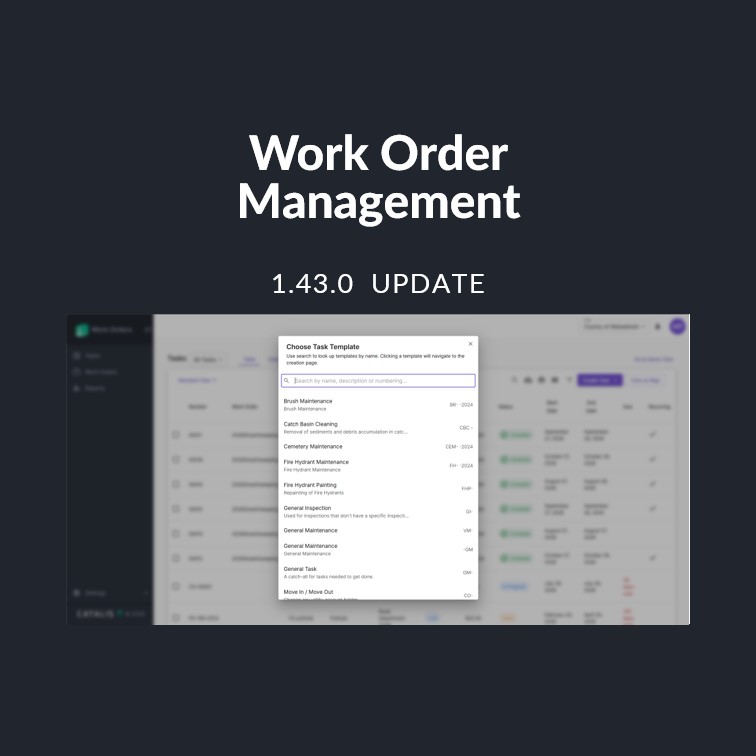
Searchable Task Template Picker
When creating a Task, the template picker is now a searchable list rather than a fixed dropdown. Users can type to filter by name instead of scrolling an alphabetical list. Selecting a template behaves exactly as before.
Search Tasks by Address
The Tasks search bar now matches on a task’s address or civic location as well as its number and title. Searching a street name returns the tasks on that street, which previously only worked through the Address column filter.
Linked Equipment and Warehouse Records
A non-spatial asset can now be linked to a single Equipment record and a single Warehouse record from its Inventory tab. The two links are independent, so an asset can carry an Equipment link, a Warehouse link, or both at once, without maintaining the connection by hand.
Experience Improvements
Consistent Table Controls Across Work Orders
Search, Download CSV, Print, View Columns and Filter are available on the Task Templates, Report Templates and Priorities tables, on the Tasks tables inside a work order and inside an asset, and on the Costs, Work and My Work tables. Row selection and delete behave the same way across all of them.
Security & Platform
- Work Order and Inventory Management now run on .NET 10, keeping the platform on a currently supported runtime with its security and performance improvements. Deployment tooling has been updated to match.
- Shared table, form input and site settings components across the application, including Work Order categories, custom statuses, teams and business days, have been migrated to the modernized table framework, giving consistent search, filtering and export behaviour throughout.
Bug Fixes
- Assignees in Task exports: the Assignees column is included when the Tasks table is downloaded as CSV.
- Task report exports: Title, Description, paragraph text fields and multi-select values are included in the Tasks Reports CSV.
- Pin Location filter: the Pin Location filter applies correctly on the Tasks table.