Linked Submission Improvements
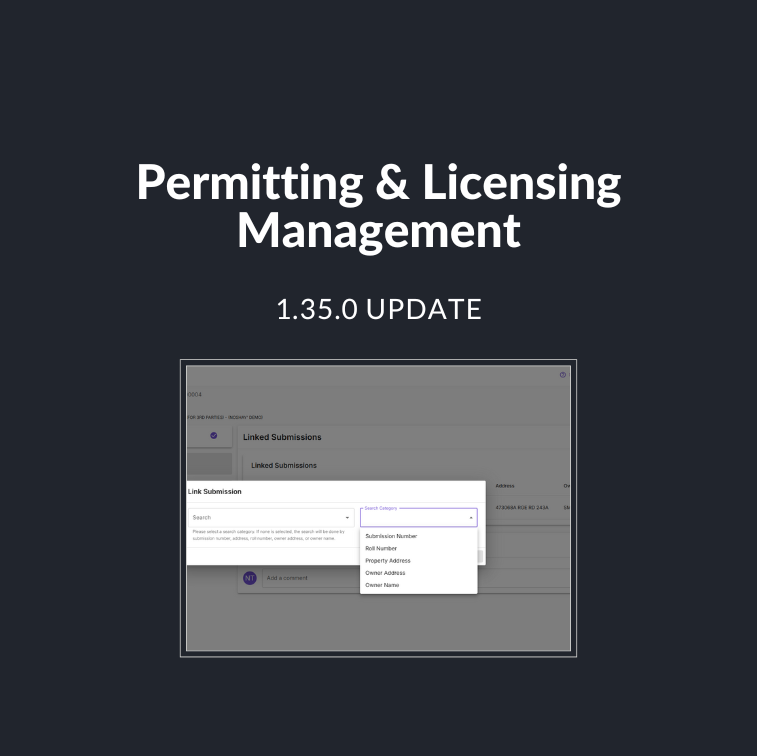
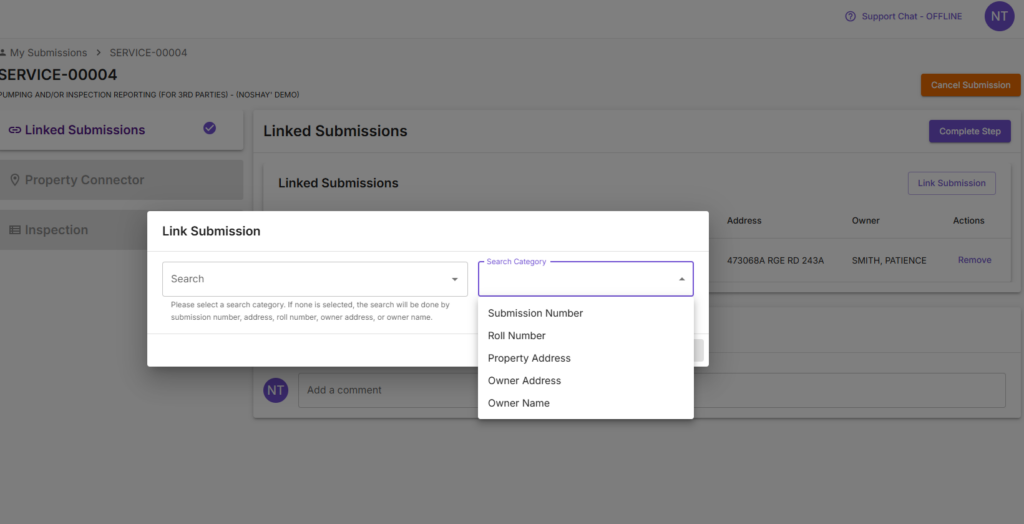
Linked Submission Search, Category Selector
✅ Improved Search Functionality for Linking Submissions – Find the right permit faster with more precise search options:
- Submission Number
- Parcel ID/Tax Parcel ID
- Property Address
- Owner Address (Mailing Address)
- Owner Name (First & Last)
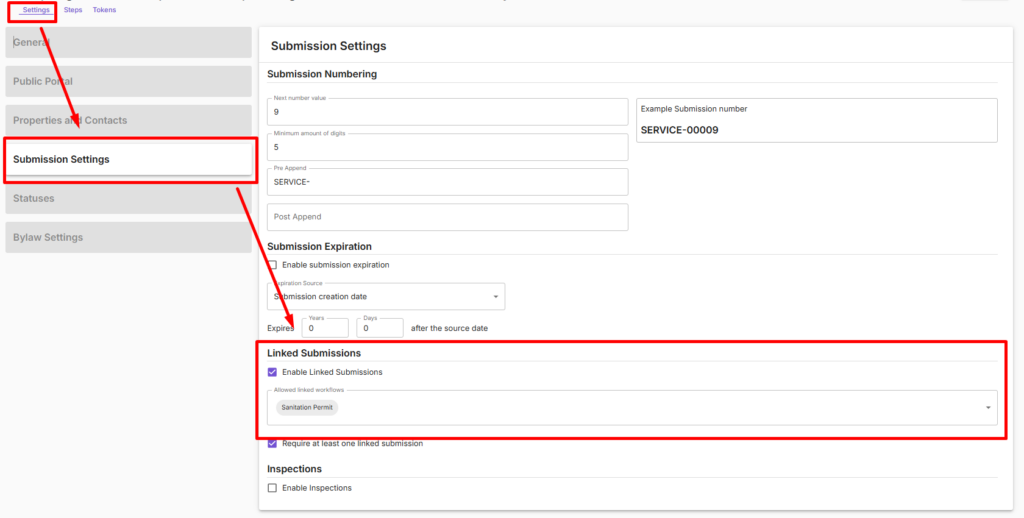
New Workflow Setting for (Allowed Linked Workflows)
✅ Search for relevant permit types – Find the right permit faster with more precise search options:
- This new setting ensures the only relevant permits (e.g., sanitary permits) can be selected during the linking process.
- Enable this setting eliminates unrelated or incorrect records from appearing as options.
Worker Contact Information Now Autopolulates for Third-Party Users
✅ Auto-Populated Worker Contact Info – Third-party workers using the system will now see their contact information automatically filled in on the contacts step after clicking the “Import All” button, saving time.
Quality of Life Improvements
Bylaw Improvements
New option to allow default sort order to be applied to conditions settings. Users can click a group within the Conditions dialog window and adjust the condition order.
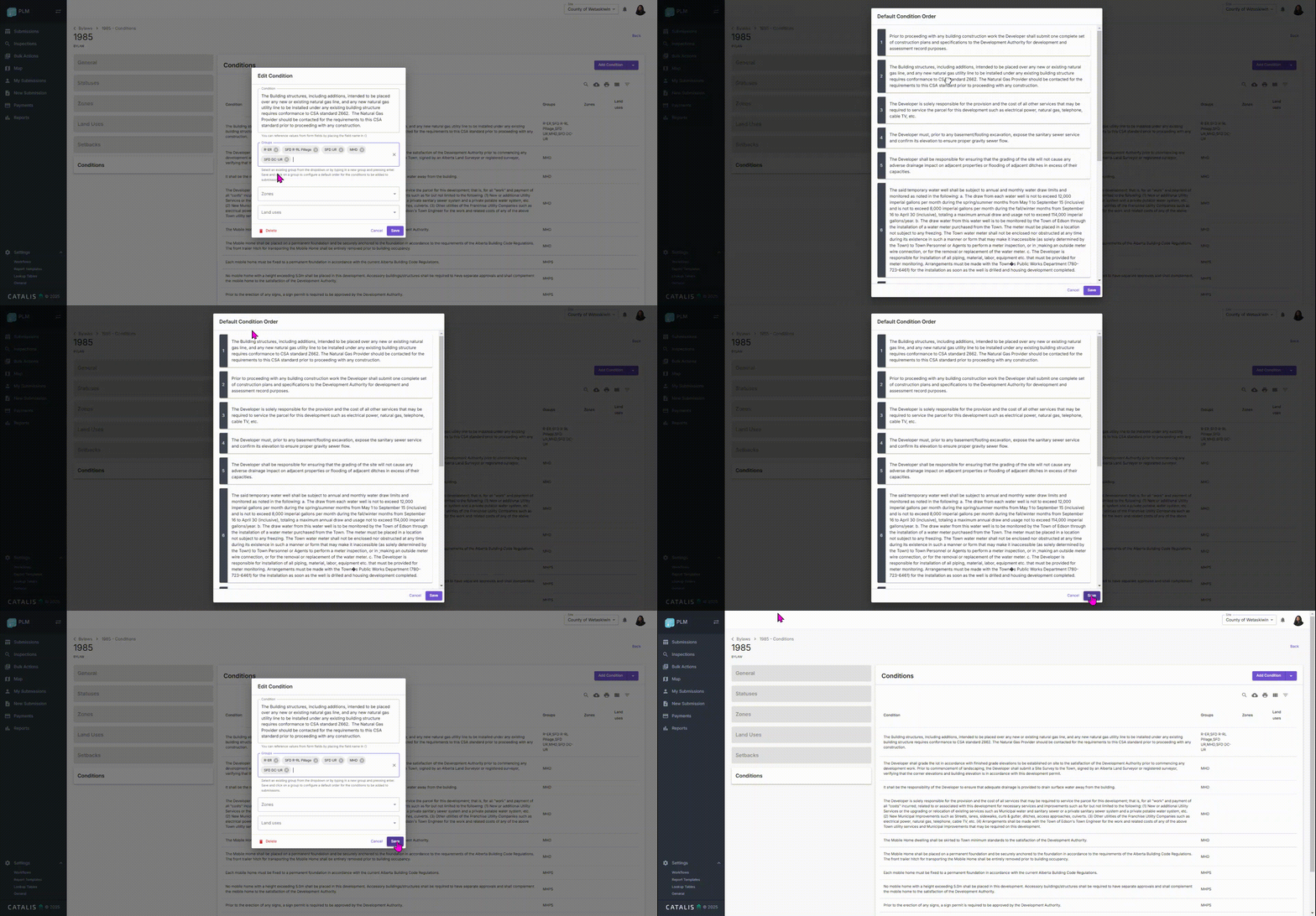
- Now if group has a default condition order, when conditions are added to a submission they are displayed in that order.
- If a group has no default ordering configured, the conditions are added in alphabetical order.
(note: if conditions of the same group are added at more than one time, the ones added later will add after the ones added first. ex. if the default ordering means the conditions should be added in the order 1, 2, 3, 4, 5, and conditions 1, 3, 5 are added and then 2, 4 are added later, the order they would show in the submission would be 1, 3, 5, 2, 4)
Public Portal Payments
Public User Payment Method: Now, internal staff can see the type of payment method a public user has selected. Previously, If the submitter chose any method other than pay online (mail in or pay in person or pay by phone), the staff could not see what was chosen and what was to be expected.
Bug Fixes
Linked Property
- Fixed an issue where the Property connector step was not getting or adding properties.
Payments
- Fixed issue with the payment where ‘Resolve & Complete Step’ button still appeared after the payment is resolved and completed.
Third-Party Role with Viewer Permissions
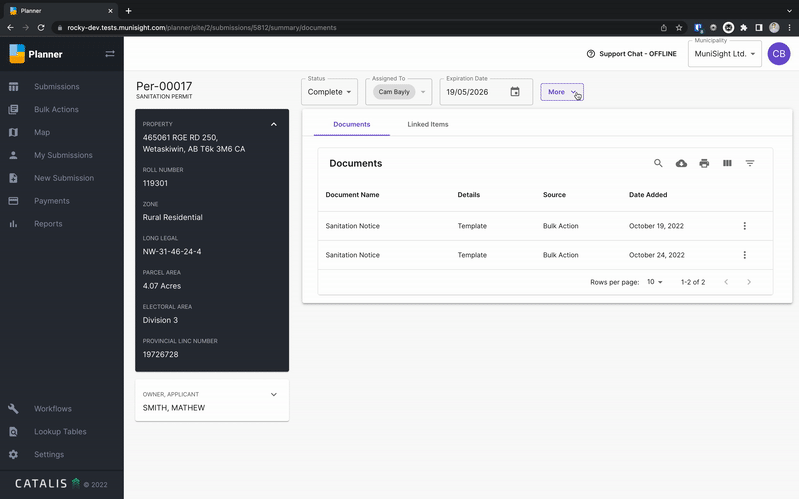
- Fixed an issue where third-party users with viewer permissions could not swap between summary and steps using the More button at the top right of a submission (to the right of the status and assignees).