Confidential Items
We’re adding more control and confidence to how you manage sensitive meeting content. While items could already be hidden from the public, this update introduces new internal visibility options so only the right people see confidential notes or comments.
New Confidential Tab:
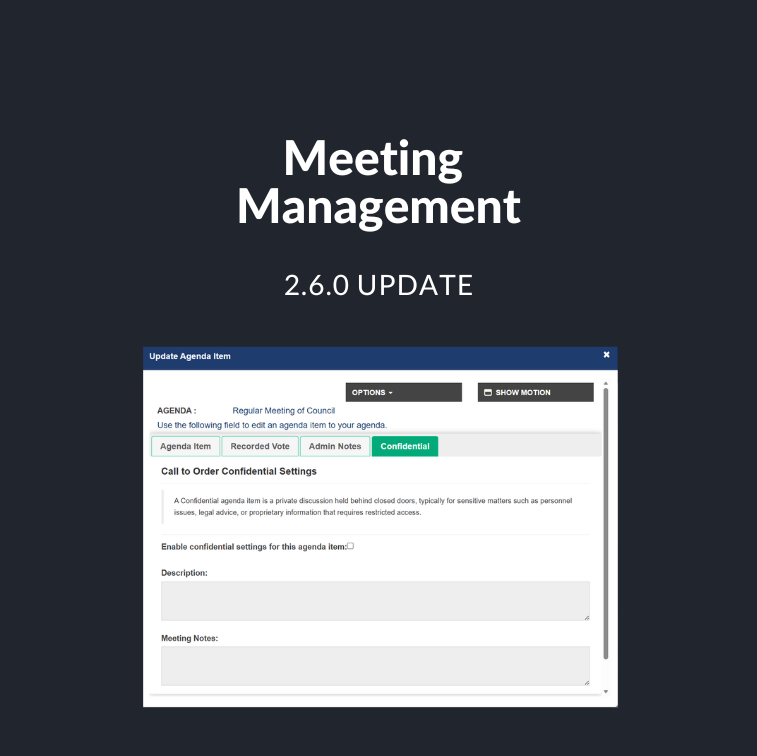
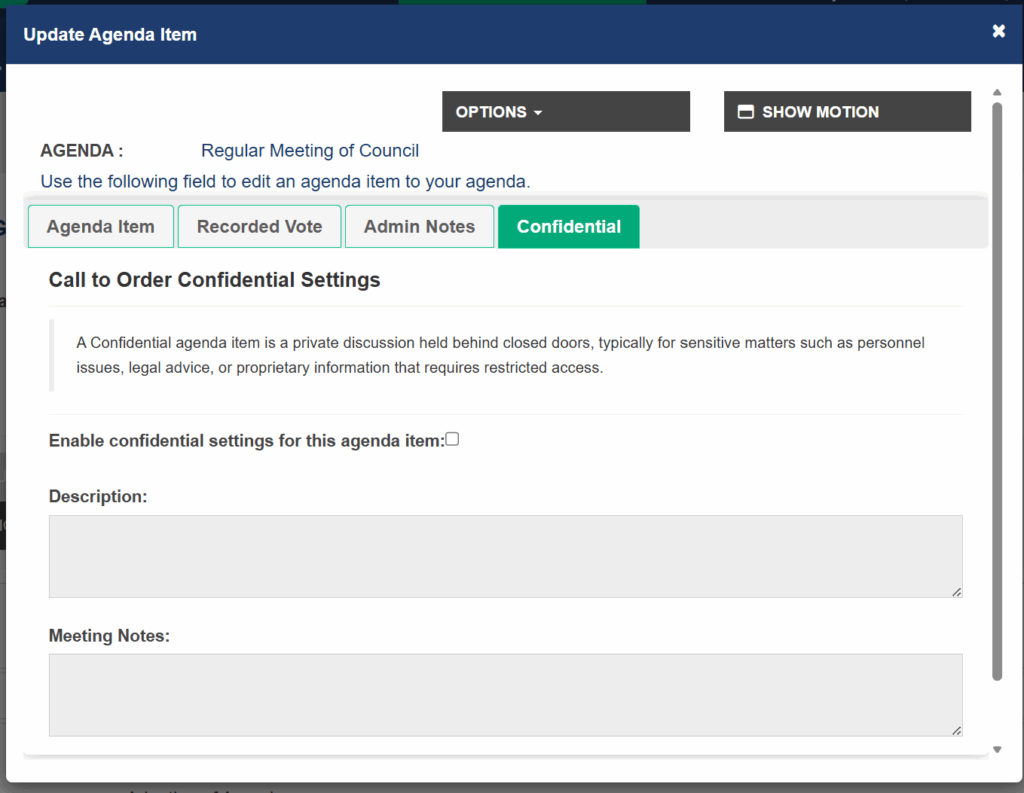
A new Confidential tab is now available for meeting items, allowing administrators to add and manage confidential notes or comments tied to specific agenda items.
Enabling Confidential Notes:
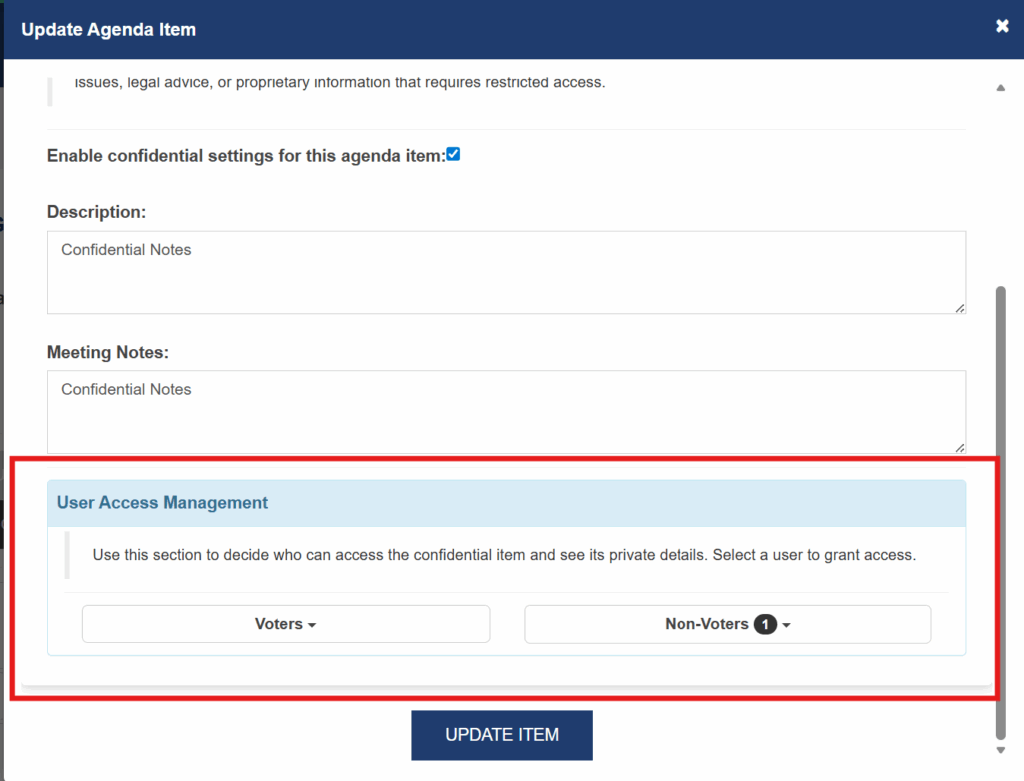
To activate this feature, select the “Enable confidential settings for this agenda item” checkbox on the confidential tab (the agenda creator and Super Admins). Once enabled, you can enter a description and add confidential notes directly in the Confidential Tab. (Screenshot shown above)
Access Controls:
Control which voters and non-voters can access confidential notes. By default, the agenda creator and Super Admins have access, but additional users can be added as needed.
Agenda View Indicators:
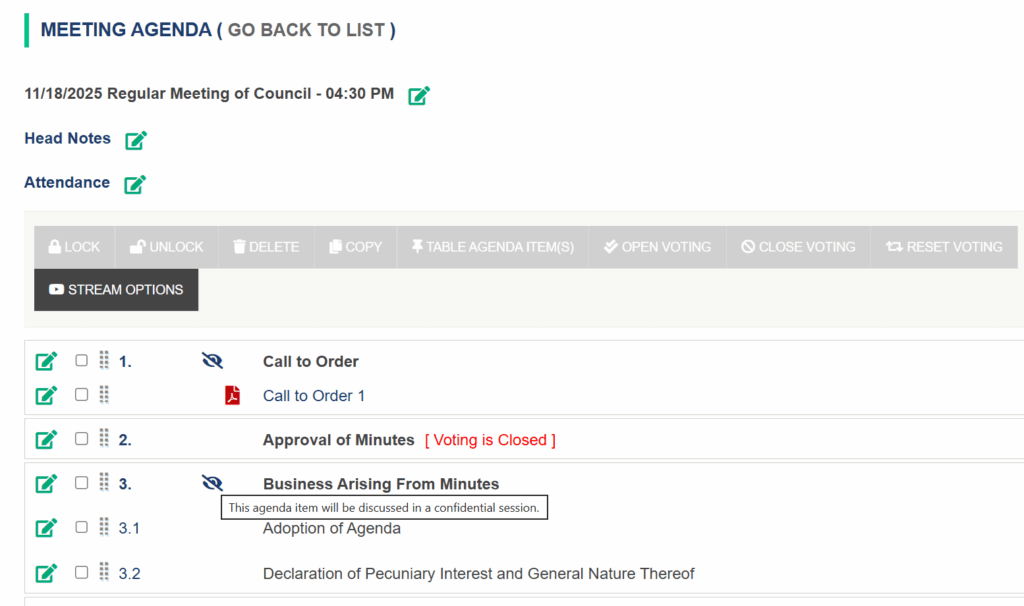
An eye icon now appears beside items that include confidential notes, helping users quickly identify restricted content at a glance.
Restricted Access View:
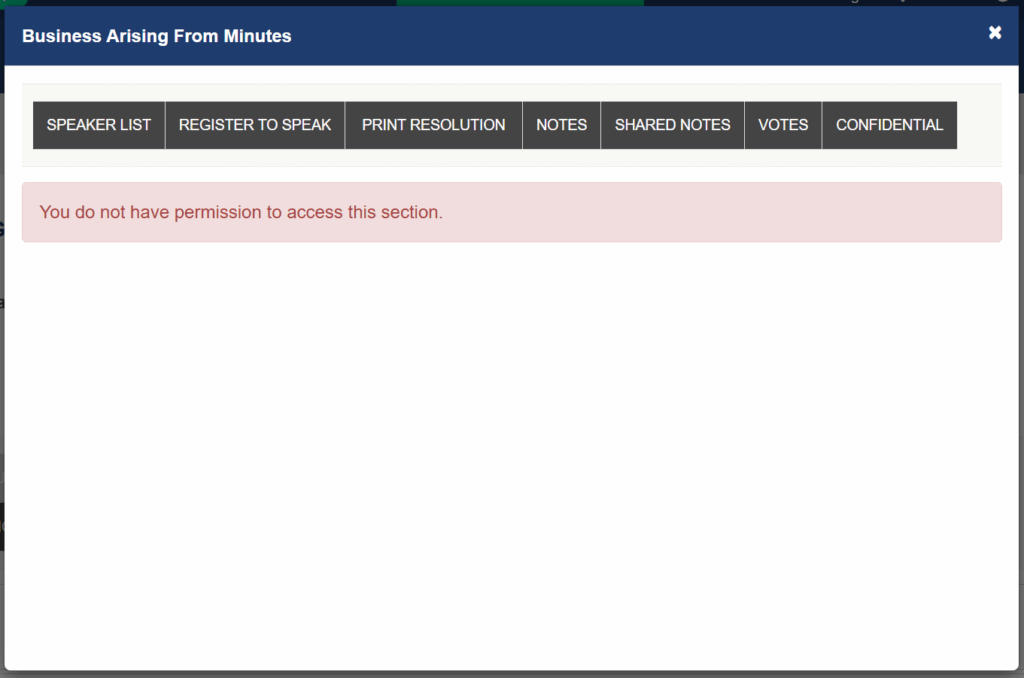
Users without permission will see a clear message when trying to open confidential notes, ensuring sensitive information remains secure.
Coming Soon – Confidential Attachments:
In an upcoming release, confidentiality settings will expand to include attachment, extending the same level of control to supporting documents.
Other Enhancements
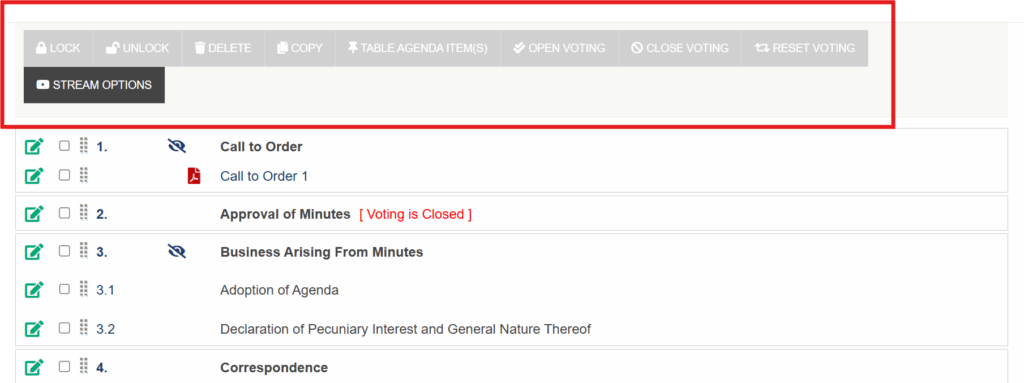
Agenda Item Actions: Buttons such as Lock, Unlock, Delete, Copy, Table, Open Voting, Close Voting, and Reset Voting are now only active when an agenda item is selected. These buttons appear grayed out until you select an item, helping prevent accidental actions and keeping your workflow clear.
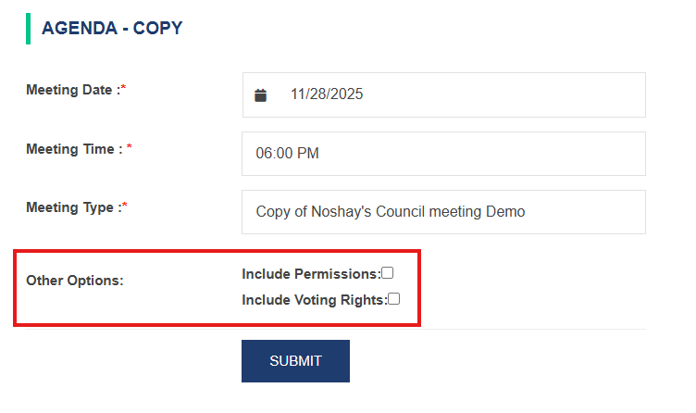
Improved Agenda Copy Workflow: When using the copy agenda functionality to create a new agenda, users can now copy over agenda permissions and voting rights from the original agenda, further streamlining the meeting management process.