Release Date: Coming Soon!
Overview
This release introduces Catalis Identity Single Sign-On (SSO) for Website Management customers.
With this update, Site Admins can begin transitioning users from traditional username-and-password sign-in to a streamlined Catalis Identity experience across supported Catalis products. During the transition period, existing username-and-password sign-in remains available. Customers will receive advance notice before traditional sign-in is retired for Website Management.
Customer Impact
Super Users can now manage the SSO transition directly from the CMS backend. The guided setup experience allows Super Users to start Catalis Identity setup, invite users, monitor readiness, and fully enable SSO when their users are ready.
- Super Users can begin setup without disrupting existing access.
- Users receive email invitations to create Catalis Identity accounts.
- Super Users can complete the move to SSO on their own timeline
Release Highlights
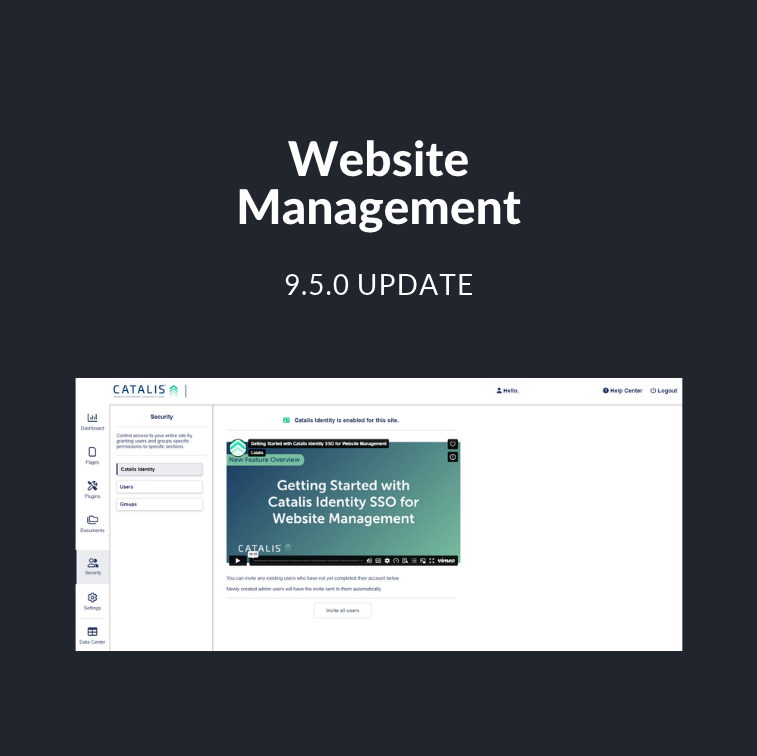
Manage Catalis Identity Setup from Security Settings
A new Catalis Identity page is available under Security in the CMS backend. This page provides a central location for Super Users to review setup status and manage the transition to SSO.

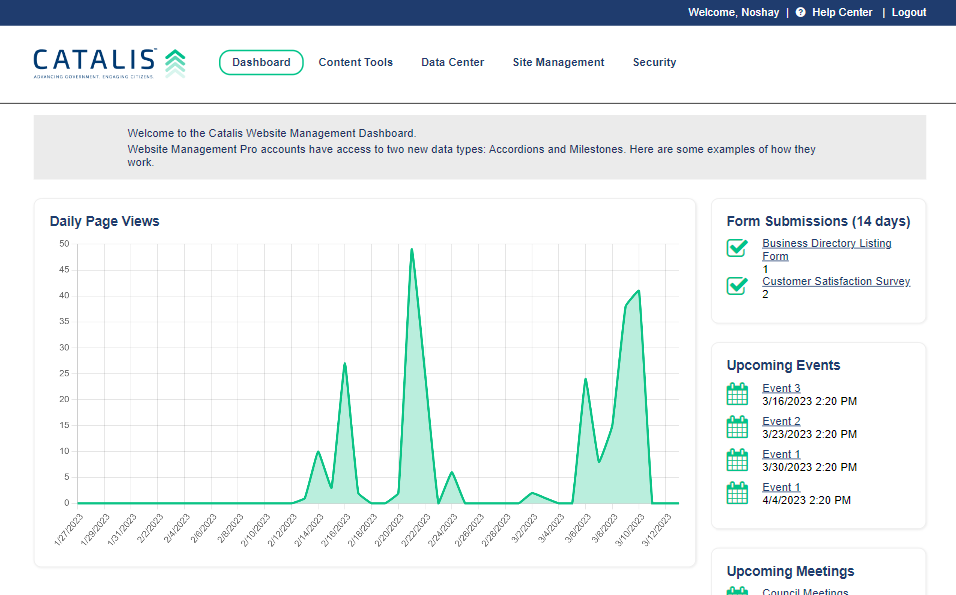
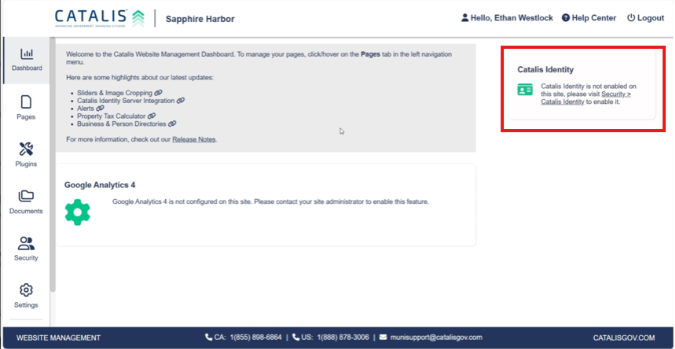
The Catalis Identity dashboard card shows the current setup status and provides a direct link to continue setup.
Start SSO Setup Without Interrupting Access
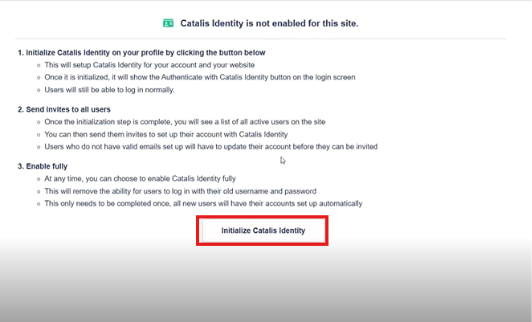
Super Users can start setup by inviting themselves to create a Catalis Identity account. This begins the Initialization phase while allowing users to continue signing in with their existing username and password.
The invitation is sent to the email address associated with the user’s Website Management account and includes instructions for completing Catalis Identity account setup.
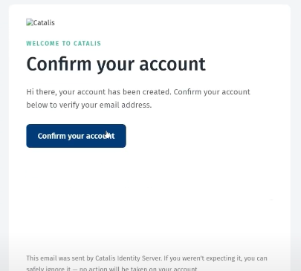
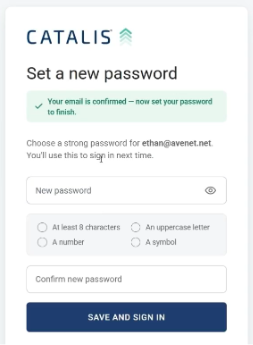
Users complete setup by creating credentials for their Catalis Identity account. Once setup is complete, the account is ready for SSO sign-in.
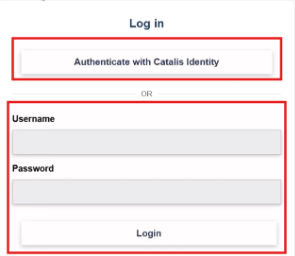
After initialization, users can sign in with Catalis Identity while traditional sign-in remains available during the transition period.
Invite Users to Catalis Identity
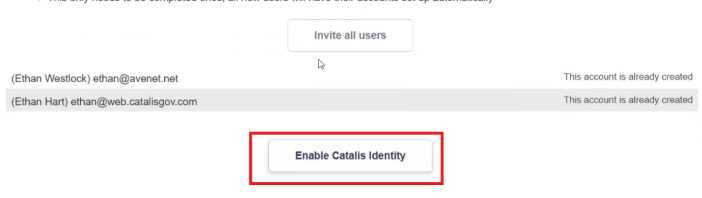
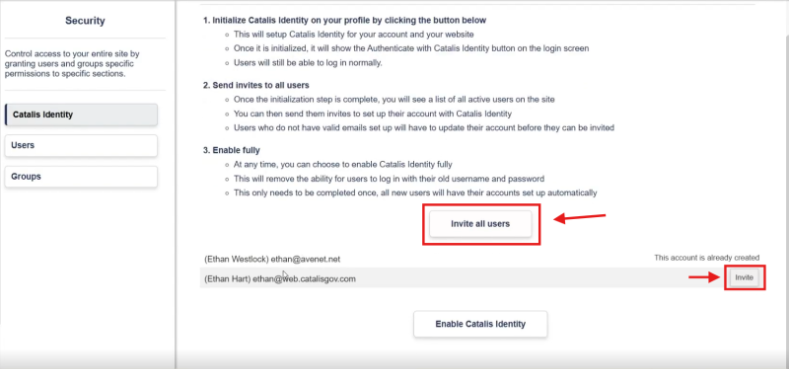
Once initialization is in progress, Super Users can invite all users or select individual users to invite to create Catalis Identity accounts. Invited users receive an email with instructions to complete the account setup.
Automatically Invite New and Updated Users
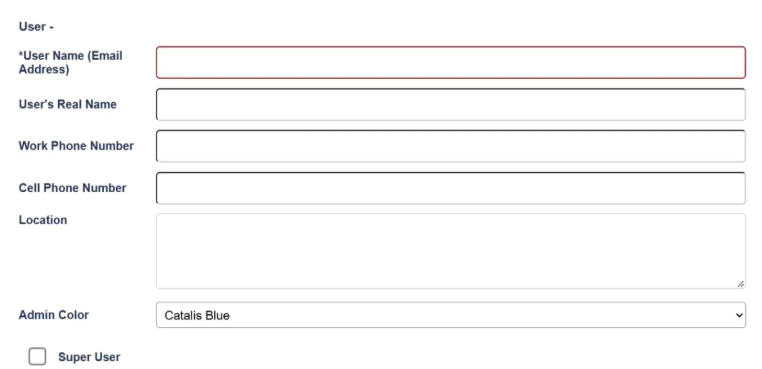
When a new user is created or an existing user’s email is updated, a Catalis Identity invitation automatically sent to that user. The Password field is no longer displayed because account setup is now completed through Catalis Identity.
Track User Readiness for SSO
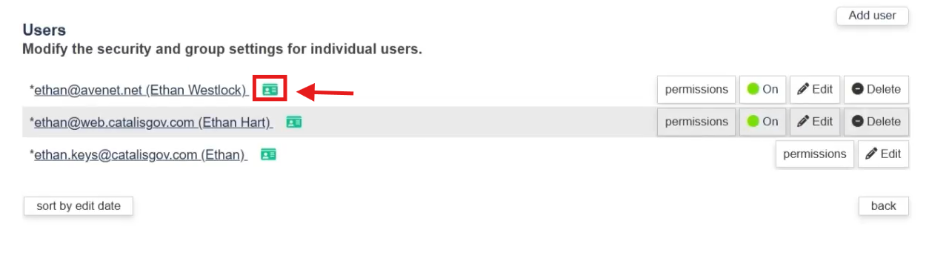
The Users page under Security now displays an ID card icon for users who have completed Catalis Identity account setup. This makes it easier for Super Users to identify which users are ready for SSO enablement and which users still need to complete setup.
Fully Enable Catalis Identity When Ready
When a Super Admin is ready to complete the transition, Super Users can fully enable Catalis Identity. This ends the Initialization phase and replaces username-and-password sign-in with Catalis Identity authentication.