Enhancements
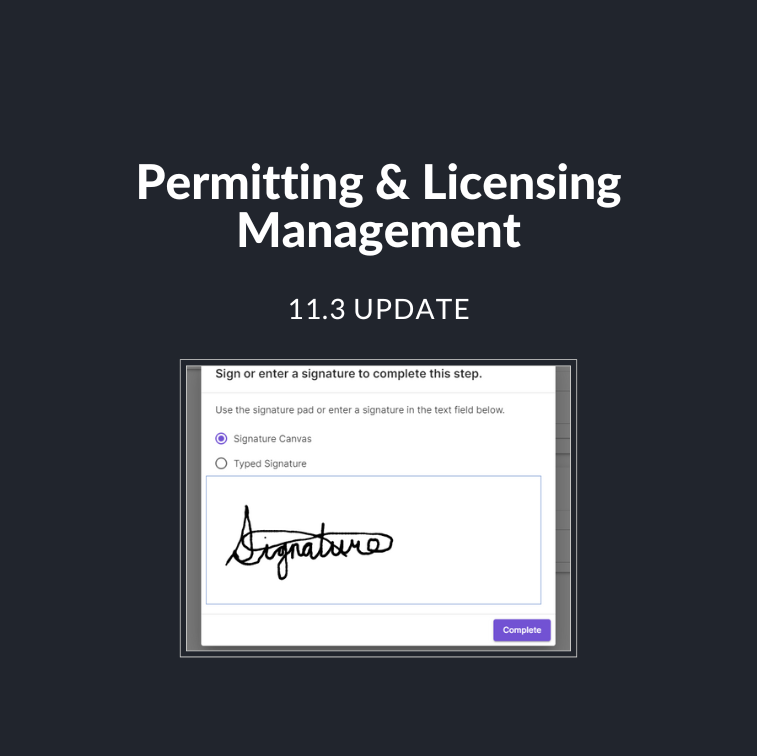
Electronic Signatures
In the latest release, we have added electronic signature functionality. Users can now:
- Prompt public users to provide a signature using the signature pad or the typed signature option on a public-facing form step.
- Add a token for the public signature to documents.
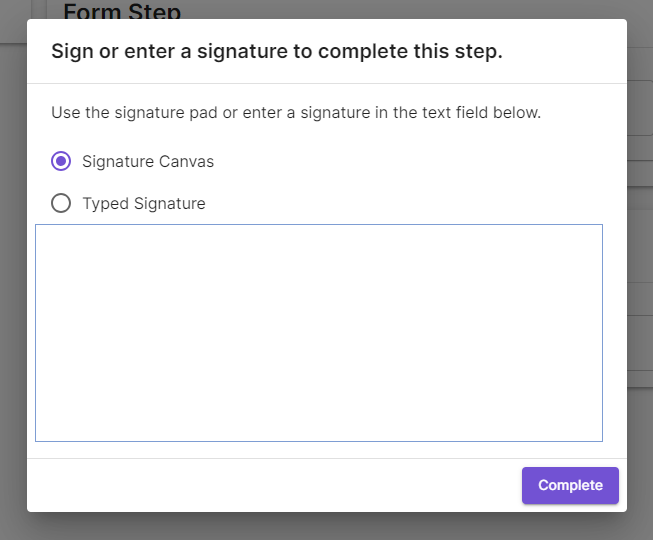
* Clients are responsible for ensuring the signature functionality complies with their province’s or state’s legislative requirements.
User Interface (UI) Updates
This release also has significant updates to the user interface (UI). Some of these changes include:
UI changes for Submission Steps
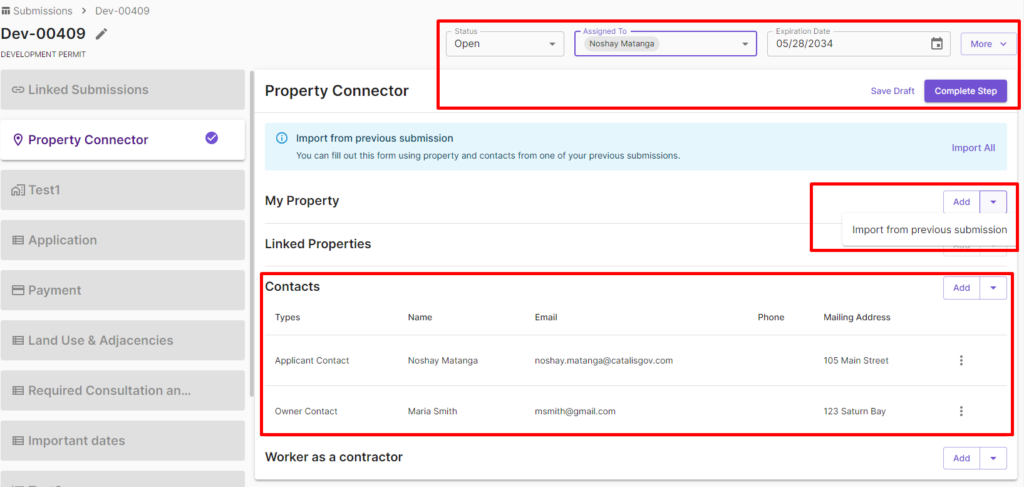
- Save and Complete Buttons Moved: “Save Draft” and “Complete Steps” will now display on individual steps.
- Property Connector Updates: The import from linked submission buttons has been changed. Owner, Applicant, and Contractor contact types will now be displayed in a single contacts section.
UI changes for Workflows Tokens Section
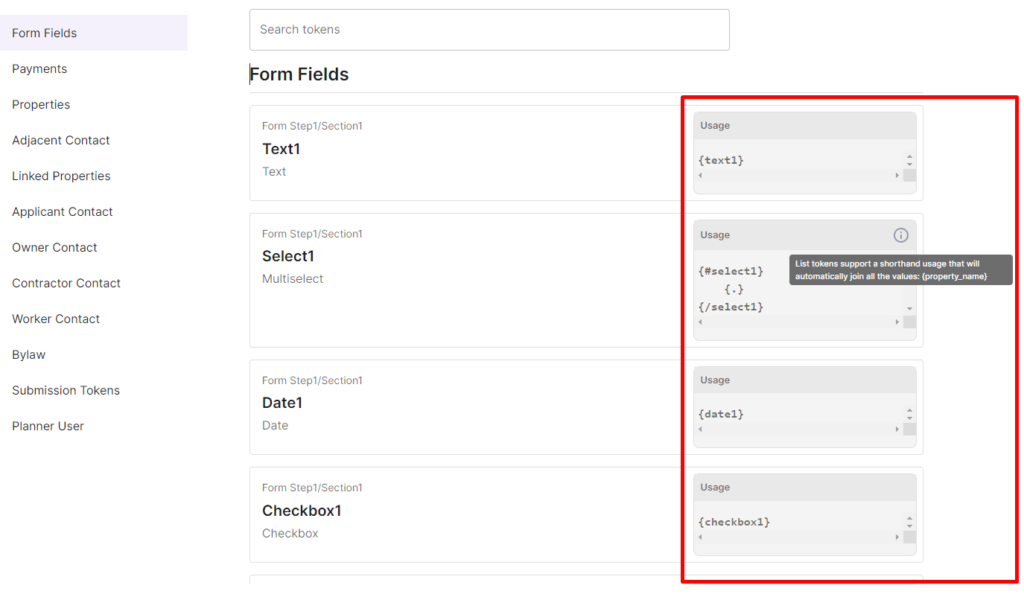
- Token usage details are now available. Users can now see the token format based on the current field type configuration.
Payment Step Improvements
Payments Updates for Public Users
- For online payments, submissions will autocomplete after the citizen makes the payment.
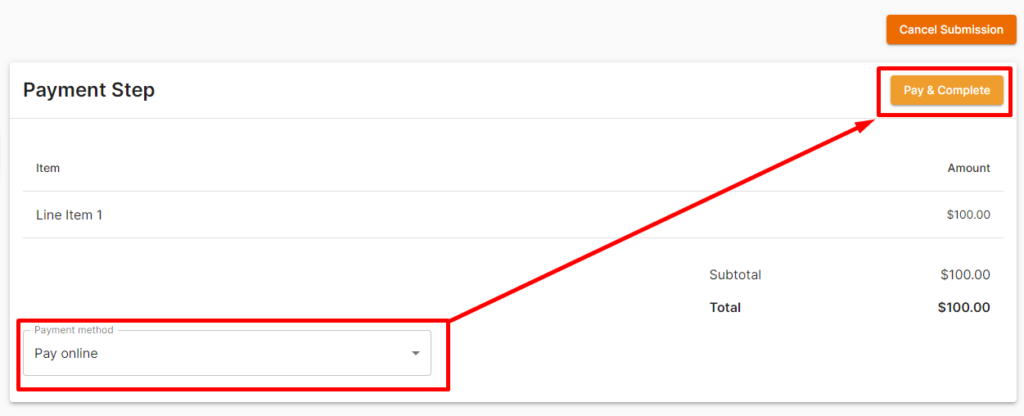
- For non-online payments, citizens now have the option to revise their preferred payment method.
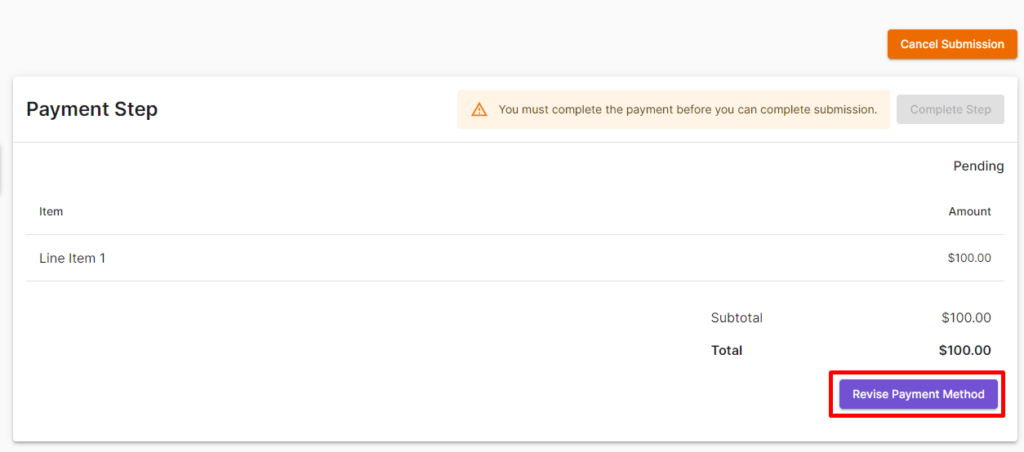
- For non-online payments, internal staff can change the payment method if a public user submits a payment using a method different from the one selected in the public portal.
Payment Updates for Internal Users
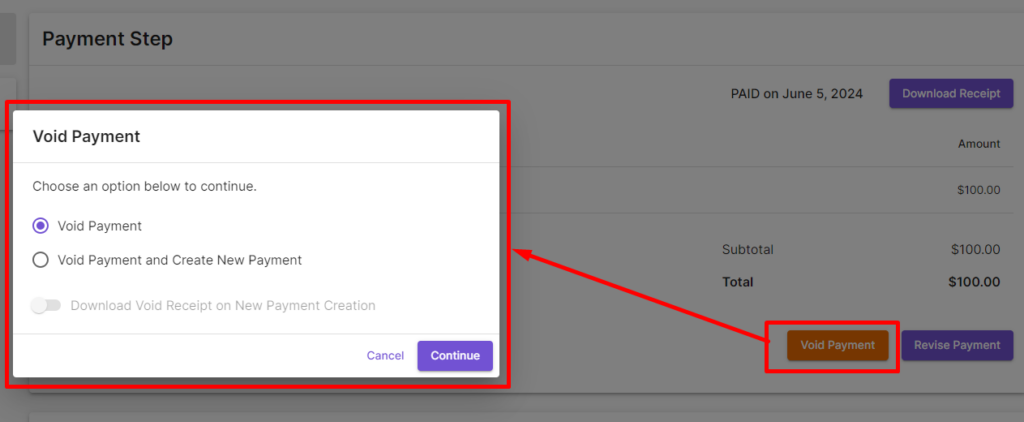
- For non-online payments, internal users now have the option to revise a payment.
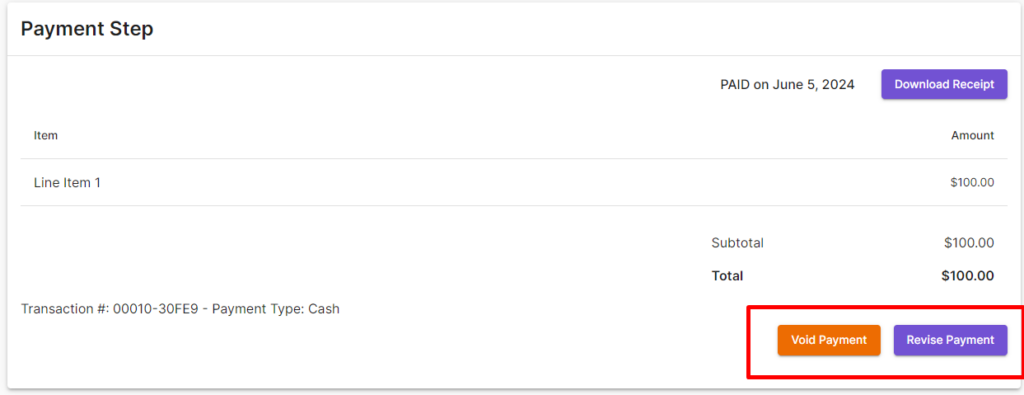
- Internal users can also submit a new payment after voiding the previous payment.
Quality of Life Improvements
Users can now remove previously generated documents on action steps.

Other Bug Fixes
- Fixed minor bugs