Enhancements
Spatial Search for Adjacent Property Action
In our permitting system, the adjacent property action generates a document for each adjacent property owner. This is done by automatically selecting property owners within a radius specified in the workflow settings or by allowing users to upload a CSV file with a list of adjacent properties.
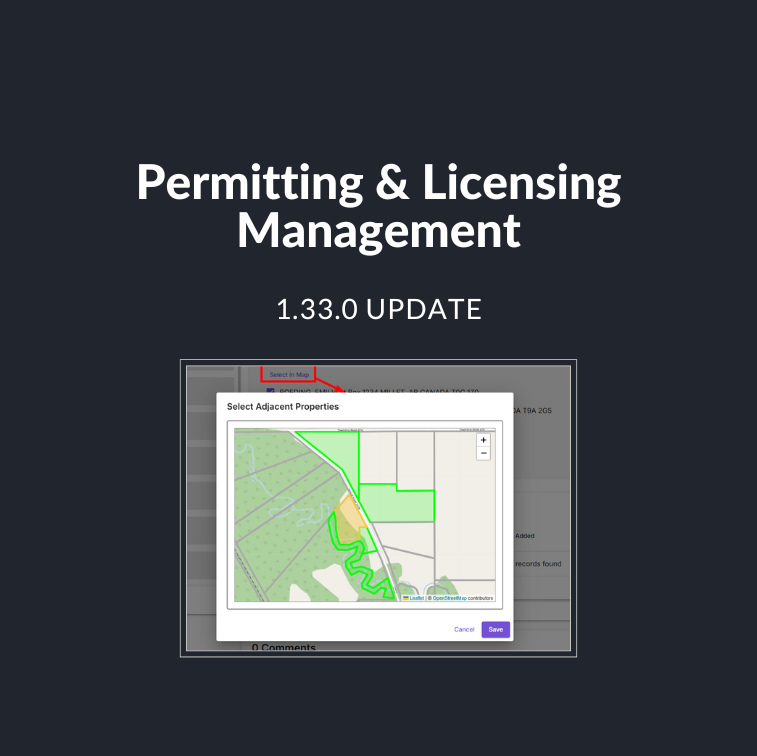
Users requested a map interface that allows them to view the preselected adjacent properties and make adjustments, such as adding additional properties or removing ones they do not want to be included. After the next release, users will have access to:
- Select in Map: Users can now use the “Select in Map” feature within adjacent property actions to manage adjacent properties on the map visually.
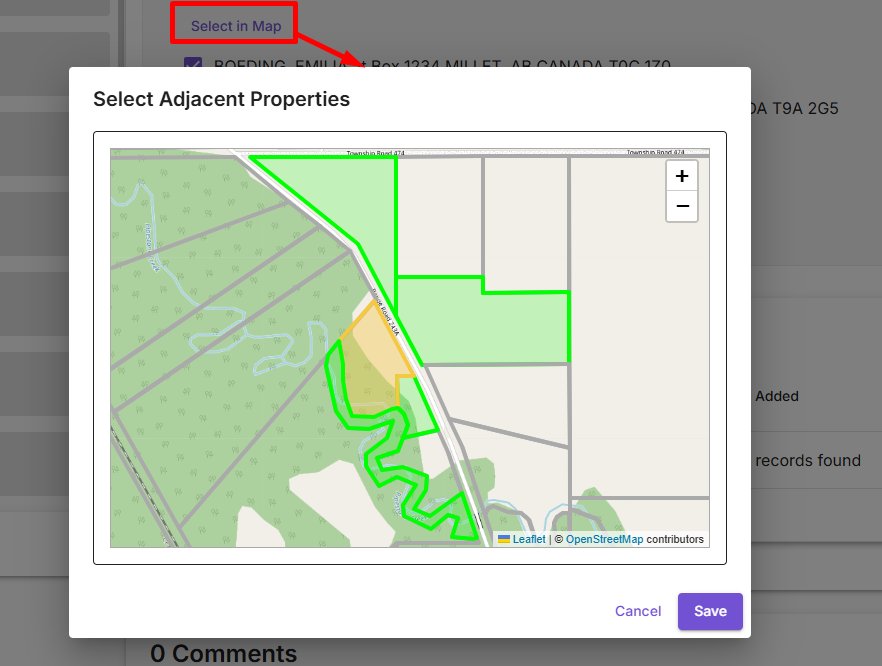
- Parcel Selection: Users can select or deselect properties directly on the map, allowing them to adjust the adjacent property list as needed.
Inspections for building permits:
There has been a significant gap in the market for an effective and seamless building permit inspection workflow. This release bridges that gap by providing a robust solution with global appeal and a focus on new territories. Additionally, this update introduces critical improvements to the existing inspection workflow, making it more efficient and user-friendly.
- Inspection Step: Includes key fields such as Inspection Date, Decision Date, Type, Decision, Property, and Contact Details. This information helps streamline the inspection process and ensures accurate tracking.
- Inspection Page and Settings: A new setting allows users to add and manage different inspection types, including a column showing if an inspection is in use to prevent accidental deletion. Inspections are linked to the submission and can be viewed through the newly added inspection tab. Users can also track and schedule inspections through the Calendar View.
- Bulk Action Support: Enables users to perform bulk actions for managing multiple inspections efficiently, improving productivity.
- Third-Party Access: Inspections remain accessible through the portal for third-party and internal users, ensuring inspection information is easily shared and tracked. The new workflow allows inspections to appear under the relevant application type for easy identification.
Quality of Improvements:
- Payment Step User Interface:
- In-person payments now behave like online payments, with the submit button being the same as the complete step button. This makes payments more consistent and fixes the issue where a payment step shows the complete step button when an in-person payment type is selected but does not do anything.
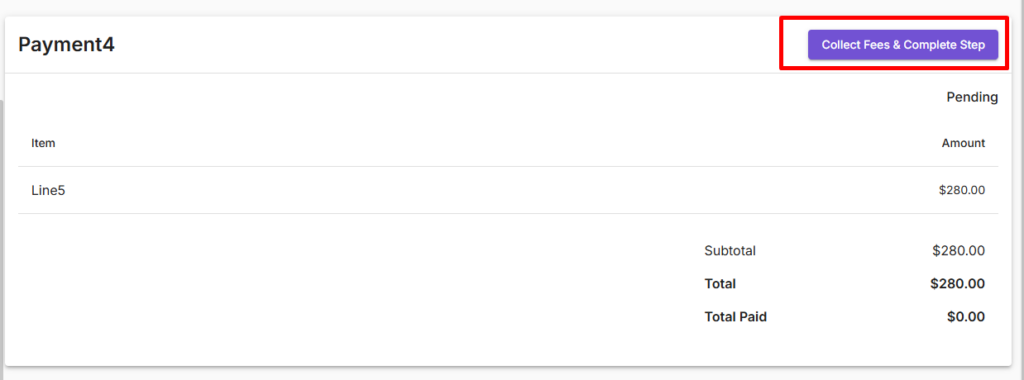
- Amount Paid and Convenience Fee is also now visible in the payment step.
- Payment Table:
- Fields for the Amount Paid and Convenience Fee will now be displayed in the payment table.
- Payment Step: When the payment step is the last step for internal user improvement
Bug Fixes
- Bulk Action Errors(s):
- Fixed an issue where the Run Bulk Action’ button disappears when the ‘Preview submissions’ button is clicked.
- Fixed an issue were Bulk Actions could not be deleted.
- Toaster Message Errors(s):
- Fixed an issue where when you click Save draft, a success toaster message is displayed for 5; however, when you click complete while that message is still displayed, it will interfere with the confirmation message, causing it to go away immediately.
- Payment Table Errors:
- Fixed an issue where General ledger numbers are not showing up under line item.
- Fixed an issue where a few of the filters (i.e Type) were not working.
- Custom Reports Errors(s):
- Fixed an issue where filtering any number fields in detailed view report page and printing threw an error.
- Email Notifications Errors(s):
- Fix an issue where users still received an email for reassigned submissions even though the “Notify assignees when assigned to a submission” functionality was turned off.
- User Management Errors(s):
- Fix an issue where you could not add or edit users if there was more than one period after the @ in their email address.